


Clunky SEO plugins bog down your editor, shove upsells in your face, and make you switch tabs just to change a title or meta description?
Here’s RichWP SEO – a super lightweight plugin built natively for the post/page editor that keeps the SEO controls you actually use right there in the editor sidebar. No fuss, no extra steps. No more juggling tools. No more unnecessary features. Just clean, focused SEO management built for the block editor era.
What Makes RichWP SEO Different?
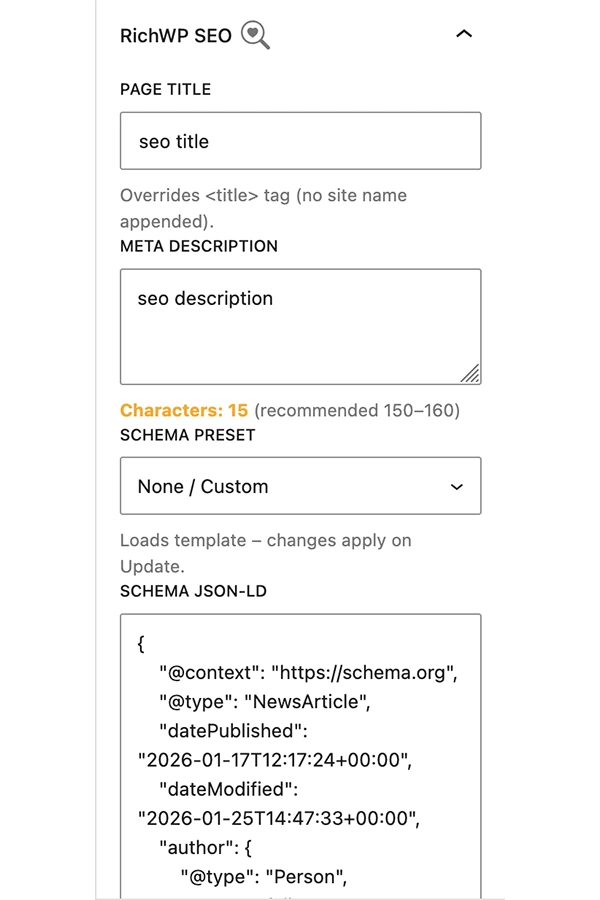
RichWP SEO is designed to feel like a natural part of the Post/Page Block Editor. The panel is always visible in the Document tab (no pinning drama), giving you instant access to:
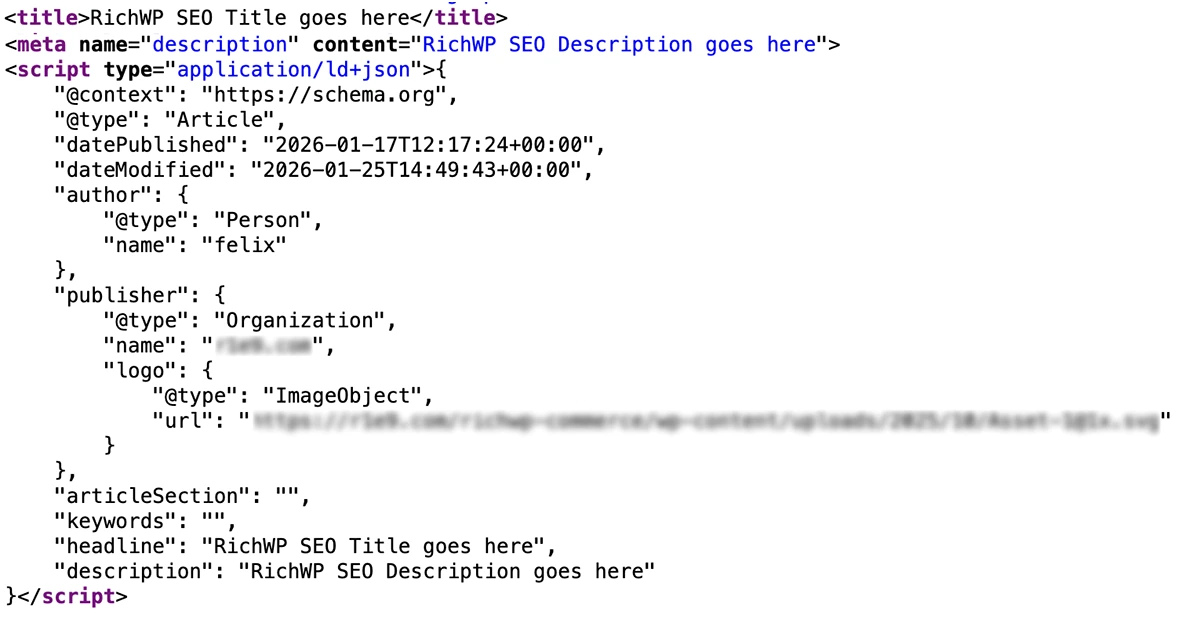
- Custom Page Titles – Override the default title without the automatic site name or separator appended.
- Meta Descriptions – Write directly in the editor with a live character counter (color-coded: orange under 150, green 150–160, red over 160).
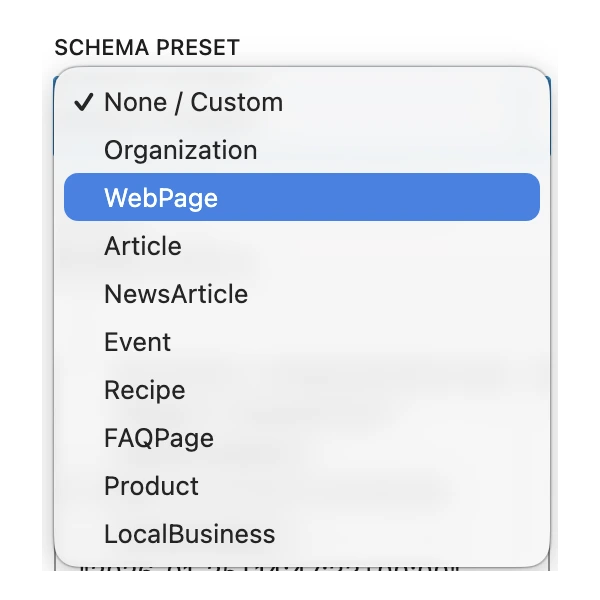
- Schema.org JSON-LD – Choose from built-in presets (Organization, WebPage, Article, Product, FAQPage, LocalBusiness, and more) that auto-fill with your post data, or paste custom JSON.
Features
- Native Post/Page Editor integration – no conflicts, no bloat
- Lightweight & secure – follows WordPress coding standards
- Schema presets with dynamic placeholders (title, excerpt, featured image, etc.)
- Live character counter for meta descriptions
- Completely free – but hey, feel free to donate me a beer or coffee 😉
- Translation-ready with included POT file
Why I Built RichWP SEO
I wanted a tool that respects the my WordPress workflow. Most SEO plugins feel like they were bolted onto the block editor as an afterthought. RichWP SEO is built from the ground up for it – simple, fast, and focused on the essentials: titles, descriptions, and structured data.
No upsells. No Pro version. Just a clean tool that does what it promises.
Getting Started
I’ve just submitted RichWP SEO to the official WordPress.org repository. While it’s under review (usually takes a few days), you can download and install it directly from the RichWP SEO Plugin page.
Once it’s approved, you’ll also be able to find and install it by searching “RichWP SEO” right in your WordPress plugin directory.
Then simply:
- Install and activate.
- Edit any post or page – the RichWP SEO panel appears automatically in the Document sidebar.
- Customize your title, description, and schema.
That’s it!
Perfect For:
- Bloggers who want rich snippets without complexity
- Businesses optimizing product or landing pages
- Developers building clean, SEO-friendly sites
- Anyone who loves Gutenberg and hates plugin bloat
Have feedback or feature requests? Just Reach out. Your input shapes what comes next.
Disclosure: RichWP SEO is free, with optional donation support to fuel ongoing development.